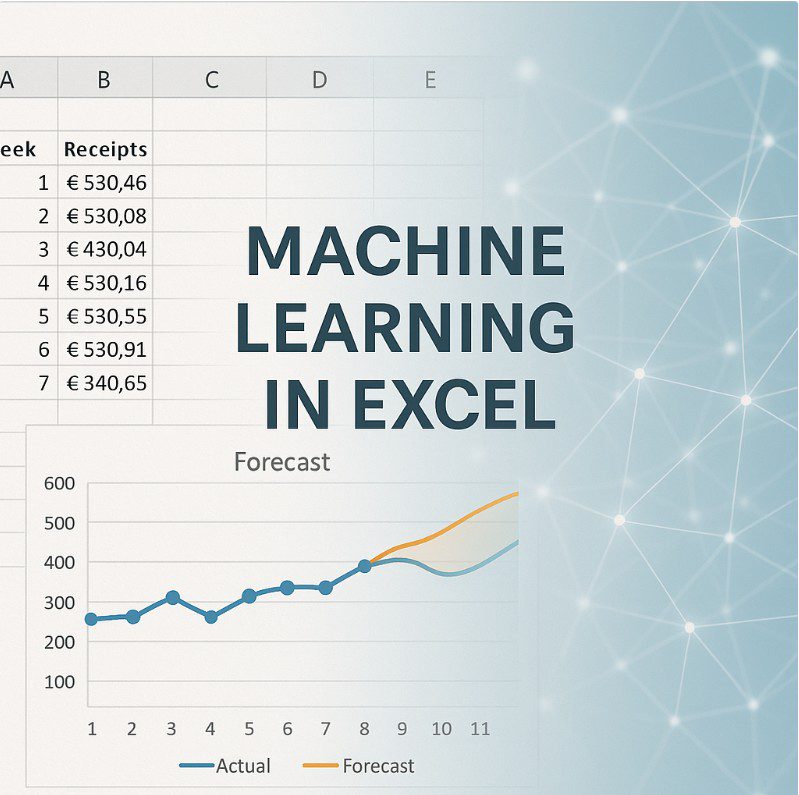
You face constant pressure to improve forecast accuracy. You hear about machine learning transforming finance, but every solution seems to require data scientists, expensive software, or Python programming skills you or your team doesn’t have. The reality is simpler: machine learning is fundamentally about finding patterns in data and using those patterns to predict future outcomes. And you can apply these same principles using Excel formulas. Sounds interesting?
What Is Machine Learning?
Machine learning is a method where computers learn patterns from historical data instead of following explicit programmed instructions.
Think of it this way: If you wanted to forecast tomorrow’s cash position, you could write rules: “If it’s month-end, expect 30% higher receipts. If it’s a Monday, expect delayed payments.” That’s traditional programming: you define every rule.
Or simpler: when a child learns, they use a notebook where they write down the lesson. Machine learning is both the notebook and the process of writing: it records patterns from past data (the lesson) and uses those recorded patterns to answer new questions (applying what was learned).
Machine learning works differently. You feed the computer historical data: 200 days of cash positions alongside factors like day of week, month-end flags, sales volumes, and payment terms. The algorithm identifies patterns you might miss: “Cash positions are 23% higher on the 3rd business day after month-end, but only when sales volume exceeded €500K two weeks prior, and this effect is stronger in Q4.”
The machine learned these relationships from data, not from rules you programmed.
Three Core Concepts:
- Training: The algorithm analyzes historical data to identify patterns and relationships
- Features: The input variables you provide (day of week, seasonality, business drivers)
- Prediction: Using learned patterns to forecast future values based on new inputs
Machine learning doesn’t think or understand. It’s pattern recognition at scale, finding mathematical relationships between inputs and outputs.
Types of Machine Learning Used in Finance
Several ML approaches apply to treasury forecasting:
ARIMA (AutoRegressive Integrated Moving Average)
ARIMA models time series data by combining three components:
- AutoRegressive (AR): Future values depend on past values (today’s cash position relates to yesterday’s)
- Integrated (I): The data is “differenced” to remove trends and make it stationary
- Moving Average (MA): Future values depend on past forecast errors
ARIMA works well for cash forecasting when you have consistent historical patterns. It answers: “Based on the past 12 months of daily cash positions, what will the next 30 days look like?”
Linear Regression
This finds relationships between variables. For treasury: “How do sales volumes, payment terms, and seasonality affect cash receipts?” The algorithm calculates the mathematical relationship and uses it to predict future receipts when you input expected sales, terms, and seasonal factors.
Random Forest / Decision Trees
These create multiple decision paths: “If sales > €1M AND month = December AND customer type = Enterprise, then expected receipt time = 45 days.” Random forests build hundreds of these decision trees and average their predictions.
Neural Networks
Complex models with interconnected layers that identify non-linear relationships. Useful when patterns are intricate—for example, FX exposure forecasting where currency movements, hedging costs, trade volumes, and geopolitical factors interact in complex ways.
Gradient Boosting (XGBoost, LightGBM)
These iteratively build models, where each new model corrects errors from previous ones. Popular in financial forecasting because they handle mixed data types well (dates, categories, numbers) and are less prone to overfitting.
Enterprise Software and Programming Languages for ML
Large organizations implement ML using tools like:
Programming Languages:
- Python: Dominant in ML with libraries like scikit-learn (general ML), pandas (data manipulation), statsmodels (time series including ARIMA), TensorFlow/PyTorch (neural networks)
- R: Statistical programming language popular in finance, strong time series forecasting packages
- SQL: Database querying for data preparation before ML processing
- Julia: Emerging language for high-performance numerical computing
Enterprise Treasury Management Systems with ML:
- Kyriba: Cash forecasting module uses ML for short-term cash predictions, analyzes historical patterns across bank accounts
- FIS Quantum: Predictive analytics for liquidity forecasting
- SAP Cash Application: ML-powered cash application and forecasting
- ION Treasury: Forecasting algorithms for cash positioning
These systems likely use combinations of time series models (ARIMA variants) and supervised learning algorithms, though specific implementations aren’t publicly disclosed.
Standalone ML Platforms:
- Anaplan: Planning platform with ML-assisted forecasting
- Workday Adaptive Planning: Financial planning with predictive capabilities
- DataRobot: Automated ML platform requiring minimal coding
- Alteryx: Data preparation and ML workflows with visual interface
Cost Reality:
Enterprise TMS implementations: €150,000 – €500,000+ for mid-sized deployments ML platform licenses: €50,000 – €200,000 annually Data science team: €80,000 – €150,000 per data scientist/analyst. For a treasury team of 5-10 people, justifying these costs is difficult.
Good news: You Don’t Need Expensive Tools
Here’s what machine learning actually does:
- Collects historical data
- Identifies mathematical relationships between inputs and outputs
- Creates formulas based on those relationships
- Applies formulas to new inputs to generate predictions
You can do this in Excel.
The sophisticated algorithms find relationships faster and handle more variables, but the underlying principle remains: analyze historical patterns, quantify relationships, apply them forward.
Python doesn’t have magic that Excel lacks. It processes data faster and handles complexity better, but for treasury teams forecasting with 10-50 relevant variables, Excel provides sufficient computational power.
Building a Machine Learning Forecast in Excel
Let’s build a practical cash receipt forecast using ML principles.
Step 1: Gather and Structure Historical Data
Create a dataset with at least 52 weeks of history. Include:
- Week number
- Actual cash receipts
- Sales volume (from previous weeks—receipts lag sales)
- Average payment terms
- Holiday flags (0/1)
- Month-end flags (0/1)
- Quarter-end flags (0/1)
- Any business-specific drivers
Your data table would look like:
| Week | Receipts | Sales_2wk_prior | Avg_Terms | Holiday | Month_End | Quarter_End |
|---|---|---|---|---|---|---|
| 1 | €485K | €520K | 35 | 0 | 0 | 0 |
| 2 | €512K | €505K | 33 | 0 | 0 | 0 |
| … | … | … | … | … | … | … |
Step 2: Calculate Trend Component (Replicating ARIMA’s AR component)
Create a weighted moving average that emphasizes recent data:
=SUMPRODUCT(B2:B13, {12;11;10;9;8;7;6;5;4;3;2;1}) / SUM({12;11;10;9;8;7;6;5;4;3;2;1})
This calculates a 12-week moving average where the most recent week has 12x the weight of the oldest week. This is your trend baseline.
Step 3: Calculate Seasonal Factors (Replicating ARIMA’s seasonal component)
For each week, compare actual receipts to the overall average:
=B2 / AVERAGE($B$2:$B$53)
Create a seasonal index table showing average factors for each week of the year. Week 1 might average 0.95 (5% below average), while week 52 might be 1.15 (15% above average due to year-end collections).
Step 4: Quantify Business Driver Relationships (Replicating Linear Regression)
Calculate the correlation between sales (2 weeks prior) and receipts:
For each historical week, calculate: Receipts / Sales_2wk_prior
Find the average ratio (this is your sales-to-receipts factor). If it’s 0.92, then receipts typically equal 92% of sales from 2 weeks ago.
Do the same for payment terms: When terms increase by 1 day, how do receipts change? Calculate: (Receipts_current / Receipts_average) / (Terms_current / Terms_average)
This gives you a terms impact factor.
Step 5: Incorporate Categorical Variables (Replicating Decision Trees)
Calculate average receipt levels for different scenarios:
- Average receipts on holiday weeks vs non-holiday weeks
- Average receipts on month-end weeks vs normal weeks
- Average receipts on quarter-end weeks vs normal weeks
Create adjustment factors:
Holiday_Factor = AVERAGEIF(Holiday_Column, 1, Receipts_Column) / AVERAGE(Receipts_Column)
If holiday weeks average 15% lower receipts, your Holiday_Factor = 0.85.
Step 6: Build the Forecast Formula
Now combine everything into a single forecast formula:
= Trend_Baseline
  * Seasonal_Factor
  * Sales_Factor
  * Terms_Factor
  * Holiday_Factor
  * Month_End_Factor
  * Quarter_End_Factor
Specifically:
= [12-week weighted average]
  * [Seasonal index for target week]
  * ([Expected sales 2 weeks prior] / [Average sales])
  * (1 + (([Expected payment terms] - [Average terms]) * [Terms impact rate]))
  * [Holiday factor if applicable, else 1]
  * [Month-end factor if applicable, else 1]
  * [Quarter-end factor if applicable, else 1]
Practical Example
You’re forecasting Week 54 (which is Week 2 of next year):
- Trend baseline: 12-week weighted average = €520K
- Seasonal factor: Week 2 historically runs at 1.05 (5% above average)
- Sales factor: Expected sales 2 weeks prior = €550K, average sales = €500K, ratio = 1.10
- Terms factor: Expected terms = 36 days, average terms = 34 days, impact rate = -0.02 per day, adjustment = 1 + ((36-34) * -0.02) = 0.96
- Holiday factor: No holiday, = 1.0
- Month-end factor: Not month-end, = 1.0
- Quarter-end factor: Not quarter-end, = 1.0
Forecast = €520K * 1.05 * 1.10 * 0.96 * 1.0 * 1.0 * 1.0 = €576K
This formula replicates what an ARIMA + Linear Regression + Decision Tree model would do, but you built it in Excel with formulas you understand.
Validation and Refinement
Machine learning models are tested against holdout data. Do the same:
- Build your model using Weeks 1-40
- Test predictions against actual results from Weeks 41-52
- Calculate Mean Absolute Percentage Error (MAPE):
= AVERAGE(ABS((Actual - Forecast) / Actual)) - Adjust your factors and weights to minimize MAPE
- Once validated, use the full 52 weeks to forecast forward
Track ongoing accuracy. Each week, compare forecast vs actual and refine:
- If Q4 forecasts consistently run 8% low, increase your Q4 seasonal factor
- If the sales relationship weakened (sales up 10% but receipts only up 5%), adjust your sales factor
- If payment terms impact changed, recalculate terms impact rate
This is exactly what ML algorithms do during retraining—they update weights based on new data.
When to Move Beyond Excel
Excel-based ML principles work well up to a complexity threshold:
Stick with Excel when:
- You have 5-20 relevant input variables
- Relationships are mostly linear or can be approximated linearly
- Data volume is under 50,000 rows
- Forecast horizon is 1-12 weeks
- One person manages the model
Consider dedicated ML tools when:
- You have 50+ relevant variables with complex interactions
- Non-linear relationships dominate (e.g., FX volatility exhibits exponential patterns)
- Data volume exceeds 100,000 rows
- You need real-time forecasting updated multiple times daily
- Multiple users need simultaneous access
- You require automated retraining as new data arrives
For most treasury teams in mid-sized companies, Excel provides 80% of ML’s benefit at 5% of the cost.
Steps to Implement ML in a Excel:
1. Data Collection
- Export 12 months of historical data
- Identify available business drivers
- Structure data in Excel with consistent formatting
2. Feature Engineering
- Calculate lagged variables (sales from 2 weeks ago)
- Create categorical flags (holidays, month-end)
- Calculate moving averages and seasonal indices
3. Build Initial Model
- Create baseline trend formula
- Add seasonal adjustments
- Incorporate one business driver (start simple)
4. Validation and Refinement
- Test against historical holdout period
- Calculate forecast accuracy
- Adjust weights and factors
- Add additional drivers if they improve accuracy
5. Production Use
- Generate weekly forecasts
- Track accuracy metrics
- Refine model monthly based on performance
- Document methodology for team members
Why This Approach Works
Machine learning isn’t magic—it’s systematic pattern recognition and mathematical relationship quantification. The algorithms used in enterprise software execute these steps faster and handle more complexity, but the core principle remains unchanged.
Collecting data, calculating relationships, and applying those relationships forward, helps you implement the same methodology that powers ML systems costing hundreds of thousands of euros.
The advantage of the Excel approach: complete transparency. You understand every component of your forecast. When business conditions change, you know exactly which formula elements to adjust. When leadership questions a forecast, you can explain each factor’s contribution.
Python-based ML models are black boxes to most treasurers. Your Excel model is a glass box, every calculation is visible and adjustable.
Start building. The data you need already exists in your systems. The tool you need is already installed on your computer. The only missing element is dedicating time to structure your data and build the formulas.
Machine learning for treasury doesn’t require data scientists or six-figure software investments. It requires understanding the principles and applying them with tools you already have.
Enjoy!
Treasury tech insights. No fluff.
One email per week. Build logs, tools, and opinions from the trenches.
Subscribe →